Artificial IntelligenceNov 24, 2026
Claude Code or OpenClaw With Plant Data: Is It Safe?
Yes, you can use them, but an agent that runs on a computer sees files, the terminal, credentials and the network. What each one is, what happens to your data depending on the account, the risks that are specific to agents and five rules for a plant.

Locked file
politica-uso-ia-planta-en.xlsx (17 KB)
Leave your email to download this free spreadsheet and hear about the next one.
Yes, a plant can use Claude Code or OpenClaw with its information, but they are not a chat: they are agents that work inside a computer, and what matters is which data leaves, where it goes and what permissions the agent has on that machine. A chat only sees what someone pastes into it. An agent reads folders, runs commands and uses whatever credentials it finds.
What follows was checked against each tool's documentation as of November 2026. Both change quickly: before deciding, review the linked sources.
What are Claude Code and OpenClaw? #
Claude Code is Anthropic's tool that reads a working folder, edits files and runs commands; it works in the terminal, in code editors, in a desktop app and in the browser, according to its documentation. It was built for programming, but people also use it to tidy spreadsheets, write scripts and analyze exported files.
OpenClaw is an open-source assistant (MIT license) that you install on your own computer and talk to through WhatsApp, Telegram, Slack or Teams. It was created by Peter Steinberger with a community and is now stewarded by the OpenClaw Foundation, according to its official repository. It does not ship its own model: it connects to the provider the user chooses, hosted or local.
What does an agent running on a computer see? #
Almost everything the user running it can see. In practice, four things:
- Files. The folder where it starts and, if allowed, the rest: production spreadsheets, PLC program backups, contracts.
- Terminal. It can run commands. An approved command can write anywhere the user's account can write.
- Credentials. Keys stored in configuration files, environment variables or remote access keys on that machine.
- Network. Whatever that computer can reach: the file server, the ERP and, if it is on the same network, the SCADA.
Claude Code has controls for this. In manual mode it starts with read-only permissions and asks before editing a file or running a command; in auto mode, a second model reviews each action and blocks the ones it judges unsafe. It can also isolate commands in a sandbox. Its security page warns that no system is immune to all attacks.
In OpenClaw, the main session's tools run directly on the host unless sandboxing is configured. Its security guide assumes a single trusted operator per installation, or a team whose members trust each other.
Is my data used to train the model? #
It depends on the account, not on the tool. According to the Claude Code data usage policy as of November 2026:
| Account | Trains on what is sent? | How long it is kept |
|---|---|---|
| Personal (Free, Pro, Max, Ultra) | Yes, when the model improvement setting is on; the user can turn it off | 5 years with the setting on; 30 days without it |
| Business (Team, Enterprise) and API | No, unless the company expressly opts in | 30 days as standard; a zero-retention option exists for qualifying Enterprise accounts |
Two details that are often missed. Claude Code runs on the machine, but the prompts and the model's answers travel over the network to the provider's servers. And it stores each session's transcript on the computer itself, in plain text, for 30 days by default.
With OpenClaw, state, memory and credentials live on the machine where it is installed, but each question goes to whichever model provider has been configured. The data policy that applies is that provider's, for that account. If the model is local, the question does not leave.
If the files include data about people, what we explain in ChatGPT with plant data and Chile's Law 21.719 also applies.
Which risks are specific to agents? #
Four, and none of them exists in an ordinary chat:
- Prompt injection. Text hidden in a web page, an email or a PDF can give orders to the agent reading it. OpenClaw's documentation says it is not a solved problem and recommends treating links and attachments as hostile.
- Third-party extensions. Skills and connectors are code or instructions written by someone else. In June 2026, Palo Alto Networks' Unit 42 found five malicious skills on ClawHub, OpenClaw's marketplace, that had passed its screening; two installed credential-stealing software. The same report cites an earlier finding of 341. OpenClaw removed them. Anthropic, for its part, states that it does not security-audit the MCP servers connected to Claude Code.
- Instances exposed to the internet. In February 2026, SecurityScorecard identified more than 40,000 OpenClaw installations reachable from the internet in one day of scanning, and flagged 35.4 % as vulnerable. Whoever takes one over inherits the access the agent already had. The current documentation says a regular install listens only on the machine itself and that container images are exposed unless authentication is added.
- Credentials on disk. OpenClaw stores tokens and keys under the ~/.openclaw folder, and its documentation says to assume anything there may contain secrets: transcripts keep the original text, keys included.
On top of this comes what applies to any software: flaws. One in OpenClaw, CVE-2026-25253, allowed the access token to be stolen through a link and was fixed in version 2026.1.29. Keeping it updated is part of the job.
Five rules for using them in a plant #
- A separate machine or user. The agent runs on a computer, a virtual machine or a user account that is not the engineering workstation's. What is not there, it cannot read.
- No PLC, SCADA or ERP credentials in sight. No keys in files, no open sessions, no remote access configured on that machine. If it needs process data, let it work on an exported copy.
- An allowlist of folders. One working folder with what you decided to share, and nothing else. Program backups and data about people stay out.
- Human approval for actions. Reading and proposing, without asking; deleting, sending, installing or writing outside the folder, only with a person approving. No modes that skip every prompt.
- A local model when the data cannot leave. Recipes, video showing workers or information under a confidentiality agreement are processed with a model running on your own server.
And one rule that comes before the five: a business account, not a personal one, and extensions only from a known source. The spreadsheet in this article helps you put in writing which tools are approved and which data must not go into them.
When does a local model make sense? #
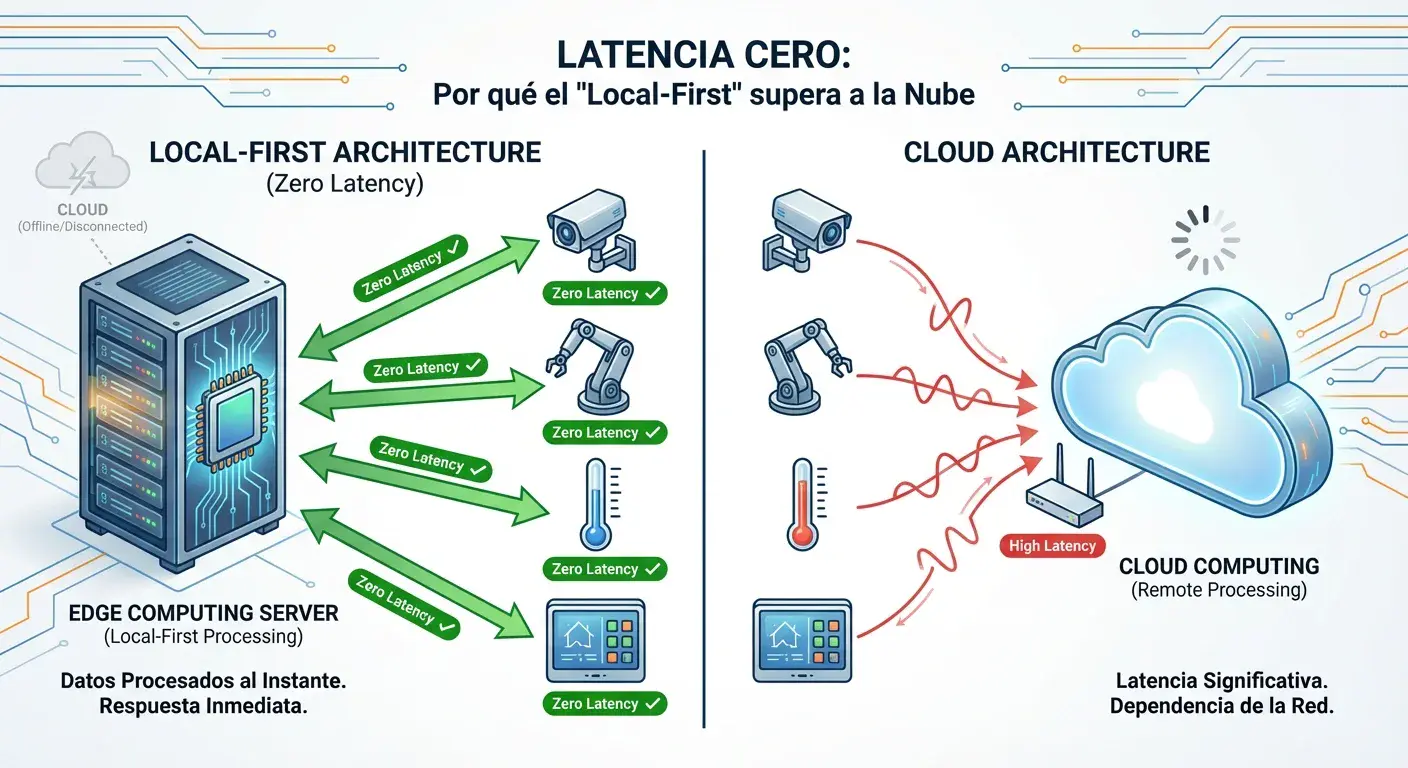
When the data cannot leave the plant, when there is no stable connection or when the volume of queries is high and repetitive. In exchange, a local model reasons less well than the best hosted models and the server has to be maintained. The architecture and hardware sizes are in local AI for PLC or SCADA data and in on-premise AI.
It is not all or nothing: many plants use a hosted model for general work and a local one for what must not leave.
How does iGromi handle it? #
With the same logic as the five rules. The plant's context and memory stay in the iGromi engine; the model receives the question with what is needed to answer it. The engine proposes and a person approves. One customer's data does not train another's. The details are in secure industrial artificial intelligence.
If you want to review what an agent could read in your plant before installing it, let's talk.
Frequently asked questions #
Does Claude Code train on my files?
It depends on the account. With a personal account, yes when the model improvement setting is on; it can be turned off. With a business account or through the API, no, unless the company expressly opts in. That is what its data policy states as of November 2026.
Is OpenClaw safe for a company?
It depends on how it is installed. Its documentation assumes a single trusted operator per installation, and leaves sandboxing, authentication and extensions to whoever installs it. Without someone taking charge of that, it should not go on a machine with access to the plant network.
Can I connect one of these agents to the PLC or the SCADA?
We do not recommend it. To analyze process data, an exported copy or a read-only connection to the historian is enough. A general-purpose agent should have neither the credentials nor the network path to write to the control system.
Are they useful in a plant if they are programming tools?
Yes, for the plant's desk work: tidying spreadsheets, cross-checking exported files, writing a reporting script or reviewing a configuration backup. Asking the plant questions in natural language also requires connecting the data and the knowledge, which is a different project.
Topics
claude code · openclaw · claude code data privacy · is openclaw safe · ai agents plant data · claude code for business · local ai model

About the author
Víctor RuzCEO
Automation and Robotics Engineer (Universidad Andrés Bello, 2012). More than twelve years in robotics and industrial automation. Founder and CEO of iGromi, where he connects machines, systems and plant people with secure industrial AI.